
A ux audit is the first step before any redesign. It helps you understand what works, what fails, and what needs improvement. Furthermore, it prevents you from redesigning blindly. Many teams jump into visuals without checking real problems. That leads to wasted time and poor results. Additionally, a proper user experience audit aligns business goals with user needs. It highlights friction, confusion, and missed opportunities. Whether you run a product, SaaS, or website, a structured audit ux ui process gives clarity. In this guide, we break down the exact ux review checklist we follow before redesigning any app.
User Goals vs Business Goals Alignment
A strong ux audit starts by defining user goals clearly. First, we identify jobs-to-be-done. Users come with intent. They want to complete tasks quickly. Furthermore, we map these tasks against business KPIs. This step reveals gaps between what users want and what the business pushes.
Additionally, we check if conversion elements interrupt usability. For example, aggressive pop-ups may increase leads but hurt experience. We identify friction where business goals override user flow. This often leads to drop-offs.
We also evaluate whether the current audit UX design serves both sides. A balanced experience supports conversions without harming usability. If one side dominates, redesign becomes necessary. Therefore, aligning user intent with business outcomes remains the foundation of effective design auditing. According to Nielsen Norman Group’s research on UX ROI, resolving usability issues before redesign consistently delivers stronger business outcomes than visual-first approaches.
User Flows & Navigation Structure
User flows define how users move through the product. We audit core journeys such as signup, onboarding, and purchase. Furthermore, we track each step carefully. Any unnecessary action creates friction.
Additionally, we identify drop-offs and dead ends. These points often signal confusion or lack of clarity. We analyze where users abandon tasks. That insight drives redesign priorities.
Navigation plays a critical role. We evaluate menu structure, hierarchy, and labeling. Clear navigation reduces cognitive load. Poor labeling creates hesitation. We also check for redundancy. Too many steps slow users down. A clean ux audit of a website focuses on simplifying flows. This is also why our UI/UX design services always begin with a flow audit before any wireframe is drawn.
Key Checks:
- Clear entry and exit points
- Logical flow progression
- Minimal steps to complete tasks
- Intuitive navigation labels
Therefore, improving flows directly improves conversion and retention.
Usability & Heuristic Evaluation
Usability defines how easily users interact with your product. We apply standard heuristics during the audit ux process. These include consistency, feedback, and error prevention.
Furthermore, we detect confusing interactions. Buttons without feedback or unclear states frustrate users. Additionally, we evaluate how easily a new user learns the system. First impressions matter.
Micro-interactions also play a role. Small delays or unclear animations reduce trust. We identify these subtle issues during ux audits.
Heuristic Evaluation Checklist:
- Consistent design patterns
- Clear system feedback
- Error prevention and recovery
- Visibility of system status
- Easy learnability
Additionally, we ensure interactions feel predictable. Predictability reduces cognitive effort. Therefore, usability remains a core part of any user experience audit.
Data & Behavior Analysis
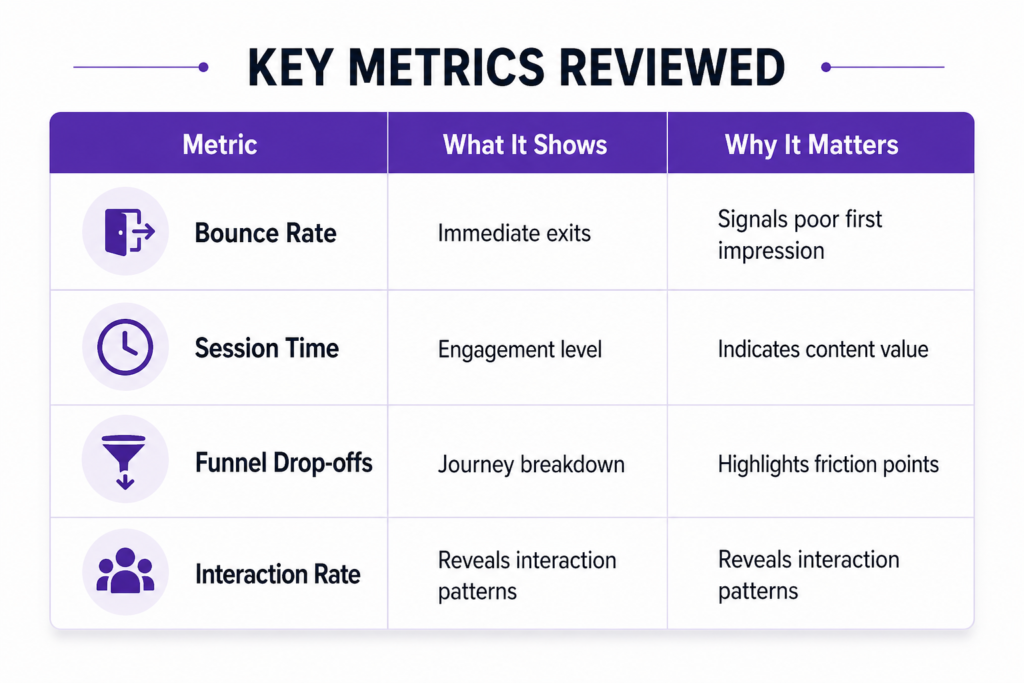
Design decisions must rely on data. We analyze analytics during every ux audit. Metrics such as bounce rate, session duration, and funnel drop-offs provide insights.
Furthermore, we identify high-exit pages. These pages often contain usability issues. Additionally, we track rage clicks. These indicate frustration.
Heatmaps and scroll data add depth. They show where users focus and where they ignore. This helps validate assumptions.
Key Metrics Reviewed:
| Metric | What It Shows | Why It Matters |
| Bounce Rate | Immediate exits | Signals poor first impression |
| Session Time | Engagement level | Indicates content value |
| Funnel Drop-offs | Journey breakdown | Highlights friction points |
| Heatmaps | User attention | Reveals interaction patterns |
Additionally, combining data with qualitative insights strengthens decisions. The Interaction Design Foundation’s guide on UX analytics outlines how pairing behavioral data with usability testing produces far more actionable findings than data alone. Therefore, a data-driven audit UX UI ensures redesign solves real problems.
Content & Messaging Clarity
Content drives user decisions. During a ux audit, we review headlines, CTAs, and microcopy. Furthermore, we check if the value proposition appears immediately. Users should understand the product within seconds.
Additionally, we identify jargon or unclear language. Complex wording creates confusion. Simple language improves clarity.
Consistency matters as well. Messaging should remain uniform across pages. Inconsistent tone reduces trust. This is something we also explore in depth in our post on how to choose the right startup brand agency, brand voice and UX messaging are more connected than most teams realize.
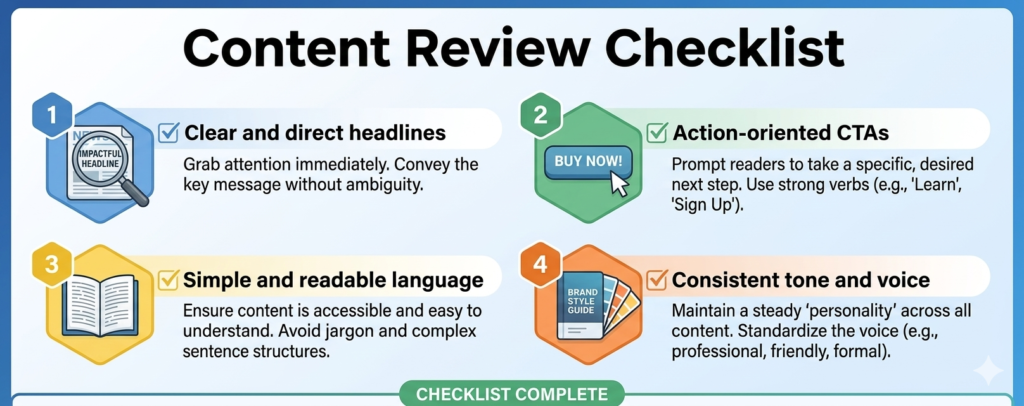
Content Review Checklist:
- Clear and direct headlines
- Action-oriented CTAs
- Simple and readable language
- Consistent tone and voice
We also ensure content aligns with user intent. If messaging does not match expectations, users leave. Therefore, content clarity plays a key role in any website ux checklist.
UI Consistency & Design System Gaps
Visual consistency builds trust. We check colors, typography, and spacing across the product. Furthermore, we identify inconsistencies in components. Buttons, forms, and cards should follow the same rules for better clarity.
Additionally, we evaluate the design system. A scalable system ensures long-term efficiency. Without it, teams create inconsistent UI elements. This leads to confusion, slows development, and reduces overall product quality over time.
Accessibility also remains critical. We check contrast, font size, and readability. Poor accessibility limits usability. Additionally, it excludes users and reduces engagement, making it essential to address inclusive design principles consistently.
UI Audit Checklist:
- Consistent color palette
- Unified typography scale
- Standardized components
- Accessible contrast ratios
Color decisions in particular go deeper than aesthetics, our blog on warm vs cool colors and branding psychology explains how color choices at the UI level directly influence user trust and behavior. Additionally, we flag broken UI patterns, which often appear in fast-growing products. Therefore, fixing design inconsistencies improves both usability and brand perception.
Performance & Technical UX
Performance directly impacts user experience. We analyze load times during the ux audit of the website. Slow loading increases friction and causes users to abandon journeys early.
Furthermore, we test responsiveness across devices. Mobile experience often differs from desktop. Additionally, we identify UI lag and glitches that reduce trust and disrupt interactions.
We also evaluate how performance affects behavior. Faster apps retain users better. Additionally, optimized performance improves engagement, reduces bounce rates, and supports smoother, consistent experiences across devices.
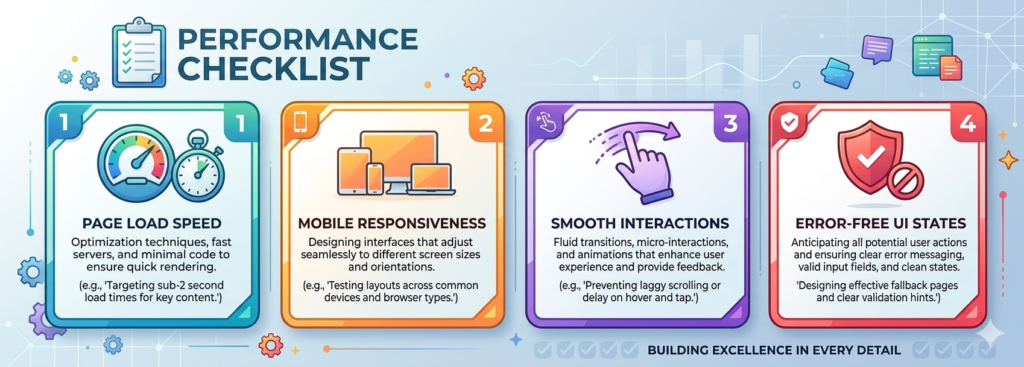
Performance Checklist:
- Page load speed
- Mobile responsiveness
- Smooth interactions
- Error-free UI states
Additionally, we test real-world scenarios. Network conditions vary. A strong audit ux ensures performance remains stable. Therefore, technical UX plays a major role in retention and engagement.
Optional Add-ons to Strengthen UX Audits
Competitor UX Benchmarking
We compare your product with competitors. Furthermore, we identify patterns, strengths, and gaps. Additionally, we define industry benchmarks to guide improvements and ensure your experience stays competitive.
Accessibility Audit
We evaluate WCAG compliance across your product. Furthermore, we identify accessibility gaps. Additionally, we improve readability, navigation, and usability to ensure inclusive experiences for all users.
User Testing & Feedback
We gather real user feedback through testing sessions. Furthermore, we observe behavior and pain points. Additionally, we validate assumptions from the user experience audit with actionable insights.
Conclusion
A ux audit provides clarity before redesign. It removes guesswork and highlights real problems that affect users. Furthermore, it aligns user needs with business goals in a structured way. Each step, from usability to performance, contributes to shaping a better experience. Additionally, following a clear ux review checklist ensures nothing gets overlooked. It creates a roadmap for informed decisions and focused improvements.
Teams often rush into redesigns without proper insights. This leads to wasted effort and poor outcomes. However, a well-executed user experience audit changes that. It uncovers friction, validates assumptions, and prioritizes improvements. Furthermore, it ensures every change serves a purpose. Additionally, it helps teams focus on what truly impacts users. As a result, businesses achieve better engagement, higher conversions, and long-term product success.